Help System Search
HomeTeamsONLINE Sports Websites for Teams, Leagues & Schools
Login/Session/Password Issues
| I want to stay logged in longer. How can I change my timeout setting? |
| The default time out is an hour of inactivity. This is to keep your account secure in case you forget to log out, especially if you use a computer in your office or at a school. You can change this setting by clicking the blue person icon top right corner, and clicking profile. Then click the option gear icon on the top right, and select the session time out tab, and change your time out setting using the drop-down. |
| Why do I need cookies? |
| You need a password to log in. Without cookies, your browser will forget that you entered the password as soon as you enter it, and you will get logged out for security. Check your computer’s security software (firewall, virus protection, etc.) to see if it is blocking cookies. |
| How to enable cookies in your browser |
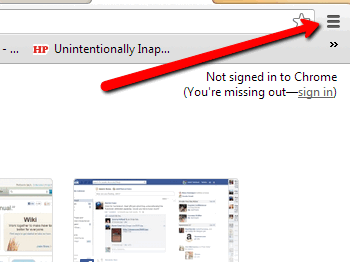
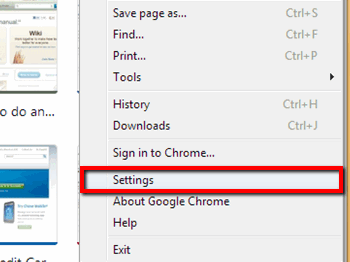
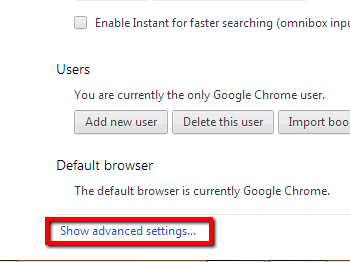
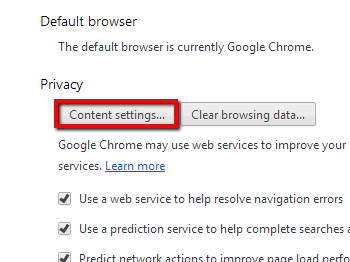
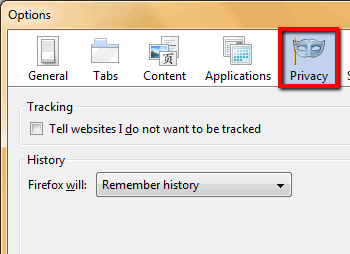
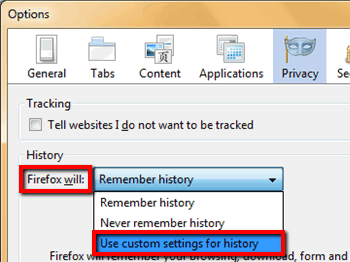
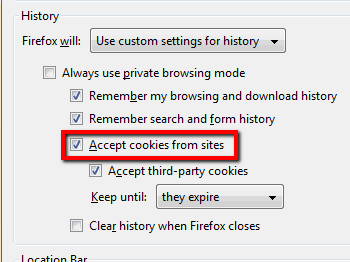
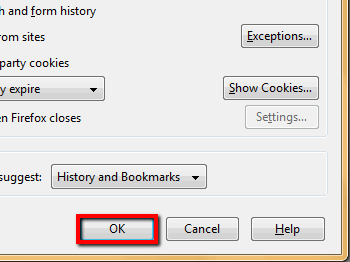
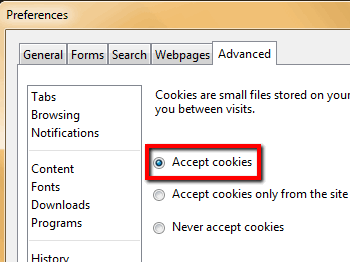
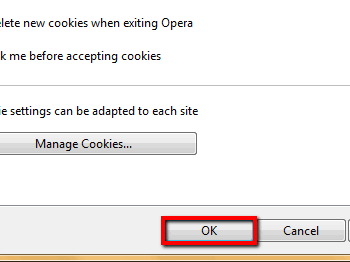
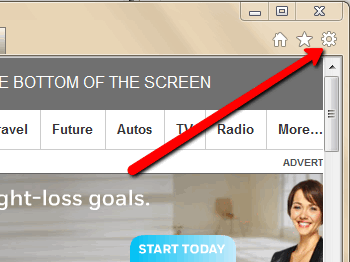
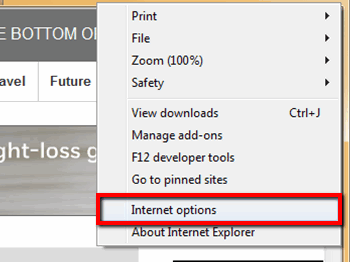
How to enable cookies in your browser Note: Since browsers are updated constantly, it is best to search for "enabling cookies in [browser of choice]" for the most recent info. The following information may have changed, and is provided as a courtesy.
Chrome:
Firefox:
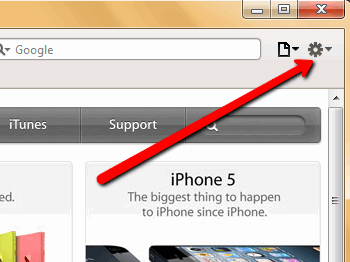
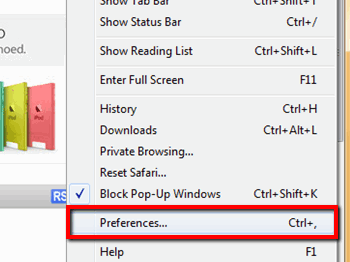
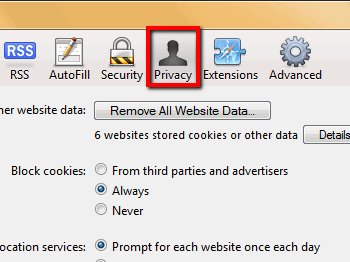
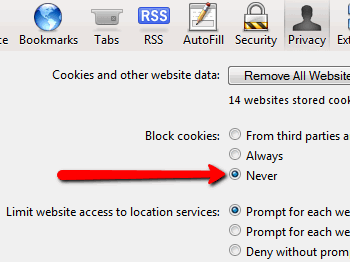
Safari:
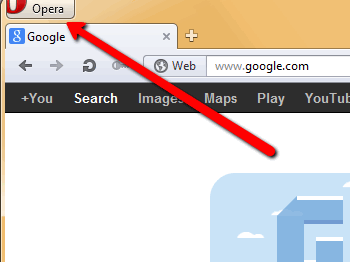
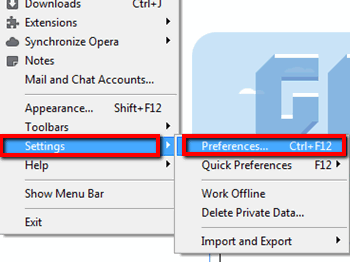
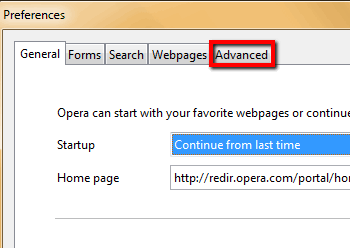
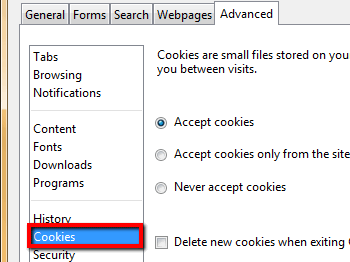
Opera:
Internet Explorer:
|
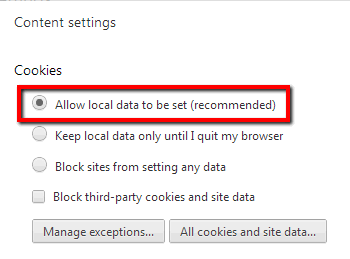
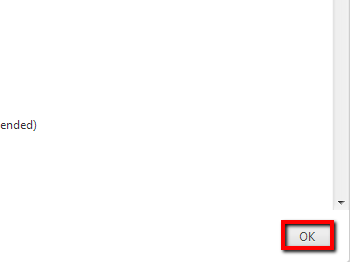
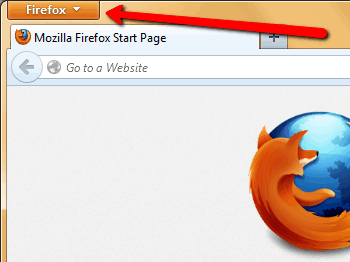
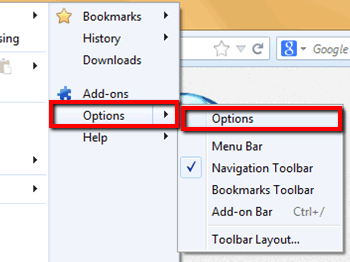
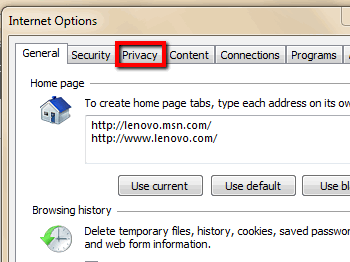
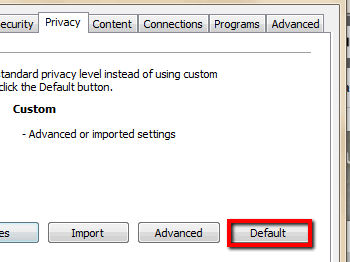
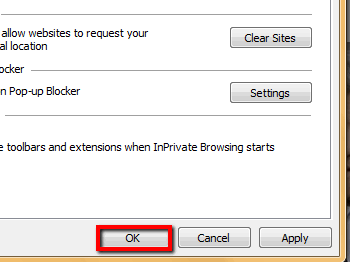
| What if this doesn't work? |
| Cookies can also be blocked from other sources. Your Internet Security (like firewalls, virus protection or any special security) can be blocking cookies. You'll need to troubleshoot this by reviewing the help within the security program you are using. Public access computers (like school, work, & library computers) often have special security installed which may block cookies. You'll have to disable this security if you wish to use this computer to edit your site. In some cases, it may be best to wait until you can access your own personal computer to edit your site. |

Toll-free Support Hotline
(800) 486-0505
Weekdays 9:00 AM - 4:00 PM (EST)
Phone support not available on federal holidays.

Email Support
HomeTeamsONLINE continues to expand and improve its features thanks to the feedback and comments from our users. Please let us know if you have any questions or suggestions.